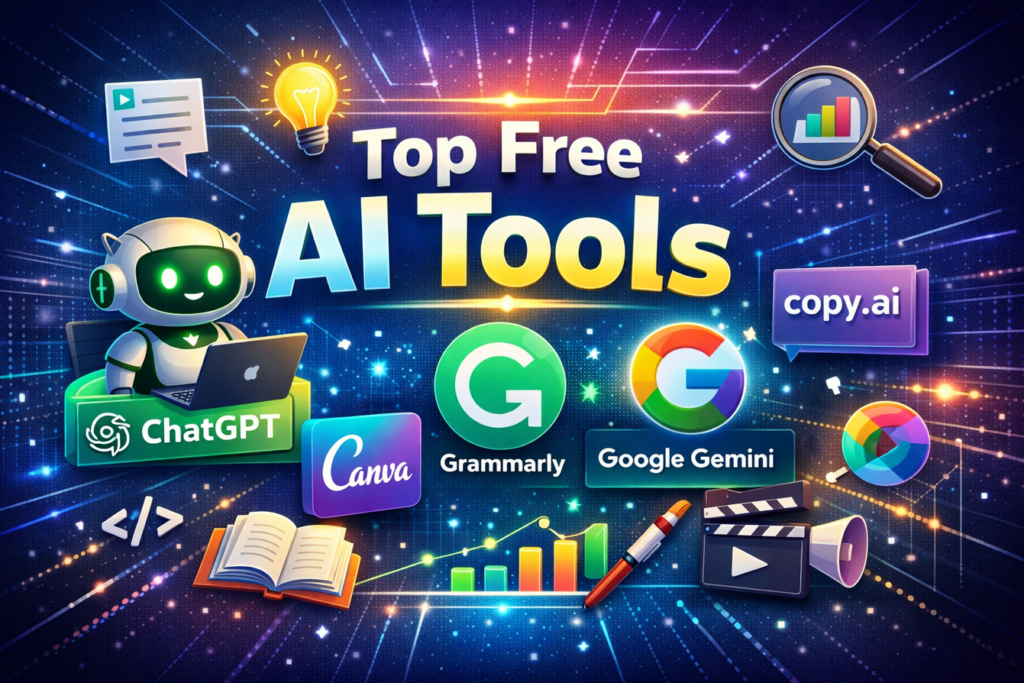
Free AI tools have become the silent workhorses enabling today’s workforce to deliver more, utilize automation and unlock fresh ways of working. Top among them is ChatGPT for producing content, sparking ideas, and conversational interaction. Canva AI makes designing very easy through ready template usage combined with clever editing functionalities. Grammarly helps writers by not only improving grammar but also adjusting style and tone, thereby making it suited for the workplace. Google Gemini is a feature-rich research assistant that also offers real-time help with diversified tasks whereas Copy.ai serves best those who desire instant solutions for creating marketing-related content and copywriting. As a whole, these instruments render our routine activities quicker than before, mentally enhanced and creatively inspired through AI – just the right combination for any user who wishes to dive into the world of artificial intelligence with no hassle.
Free AI Writing Tools
If you are stuck with a blank page or a half-broken script, text-generating tools are like a pair programmer and editor. Let’s review some well-known examples and analyze how their free versions match up.
1. ChatGPT Naturally, any AI tools list would be lacking without including OpenAI’s well-known chatbot. It is still the top “generalist” for producing standard code, writing emails, and coming up with project ideas. The free tier offers you the ability to interact with the main models, such as GPT-5.3 Instant (which has a periodically changing message limit every few hours) before it switches to the lighter, faster GPT-4o mini.
As of now, only paying users can access the latest GPT 5.4. Besides that, free users have the privilege to use Deep Research that can independently browse the web to gather information. Nevertheless, the reports use the more lightweight GPT-4o-mini in the free tier, and access is limited to only 5 reports per month.
2. Claude Many consider Claude to be the AI that sounds most like human beings and thanks to the free version of Anthropic you will be able to use Claude Sonnet 4.6. It is particularly good at creative writing and coding instructions through multiple steps without sounding like a robot. On the other hand, the free tier is very limited and will mostly depend on traffic, so you may only get a few messages per hour at peak times. Also, while strong Claude Opus 4.6 requires you to pay, free Sonnet model is good in most the cases for fixing very complex logic errors.
3. Google Gemini Among free AI tools, Google’s solution probably offers the widest array of features. It welcomes you with full permissions to Gemini 3 Flash while opening the door only a crack to the brilliant Gemini 3.1.
Along with this, it provides a limited window into the “Deep Research” functionalities, which is a significant plus for multimodal and deep research projects. But function-free users can only run 10 Deep Research reports monthly at present. Another major highlight is the seamless connection with the Google environment: You might, for example, employ Gemini to assist you in drafting a document in Google Docs or to perform data analysis in Sheets without changing the tab. In the case of personal Google accounts, emails are condensed in the integrated AI Overview feature.
The free level grants you 100 monthly AI tokens which can be spent across highly creative, advanced tools such as Veo 3.1, Flow (for cinematic storytelling), and Whisk (image remixing). Although it is just a glimpse, because the tokens are approximately the amount for 12 short clips or around 20 high-res image remixes.
Free AI Grammar-Check Tools
However, even some of the most excellent pieces of analysis may lose their meaning if the report is full of typos, which is really something that can be avoided in this day and age of AI. The following tools can be considered work as your safety net, they spot grammatical errors and tone inconsistencies that the simplest of spell-checkers do not even realize.
1. Grammarly Grammarly is the leading standard in the industry and for a very good reason. It is an AI-powered writing assistant that you can get in the form of an app for both mobile and desktop or a web browser extension. Grammarly does so much more than just show you red squiggly lines: it contains a tone detector (which is really a must for checking that the emails to your clients do not come off as too harsh) and also supplies you with conciseness suggestions to make your writing more compact. It offers an additional 100 free AI prompts monthly for the users to perform quick rewriting.
2. QuillBot At times, it’s not just a matter of grammar correction but even rewording a piece of text, right? QuillBot works like a charm for non-native English speakers but also for all those who hit the “writer’s block” and have no idea how to finish that one sentence. Its free “Fluency” and “Standard” modes are a great way to rephrase awkward texts quickly (up to 125 words at a time) to make them more natural while still keeping the original meaning. What’s more, users can take advantage of the integrated Summarizer tool to shorten the text of up to 1200 words (or 6000 for premium members) into short bullet points or a single paragraph only. This option comes handy if you wish to obtain the gist of a lengthy essay or report without reading the whole thing.
Best Free AI Image Generators
These days, crafting fabulous images for your presentations, blogs, or mockups is no longer linked to spending money. We’ll explore some AI image generation tools that are free to use for the majority of simple tasks. For a thorough review, check out this list of the best video generators currently available.
Free built-in AI image generators
Some of these services are integrated right into your chat platform. They are excellent resources for conversational image creation when you desire a good enough image immediately and prefer not to mess with sliders or other settings.
1. Nano Banana / Nano Banana Pro OpenAI’s image model, Nano Banana Pro, is a technology that combines text and images in a very sophisticated way. The model can generate correct text in many languages, and it can also “translate” an image’s existing text by changing the language while keeping the font and style intact. Overall, you usually have a large quota to produce images directly in the Gemini Apps. It is very good at creating realistic images and at following thoroughly the instructions given in the prompt. Although the Pro model remains the one that sets the standard, the recently launched base model, Nano Banana 2, is certainly worth trying as it offers almost Pro level output at much higher speed. Commonly, free generations will have a visible watermark (the Gemini sparkle icon) placed alongside invisible SynthID metadata. These are perfect for your internal presentation slides however for public use, you might want to crop or edit the images.
2. ChatGPT-Image-1.5 OpenAI gives free users a limited opportunity to test their most recent image generating model, GPT-Image-1.5. Its main benefits are that it allows conversational editing and is good at keeping details: you can keep changing an image just by talking to it. For example, you could say, “Change the blue chart to purple, ” and the model gets the idea very well without you having to write a new prompt. To explore the new features more and see how it stands against Google’s Nano Banana Pro, have a look at our ChatGPT Images guide. Free users are limited to about 23 generated images per day (within a rolling 24-hour window), so treat them as a precious commodity.
Top Free AI Video Makers
The production of videos through AI is the most demanding in terms of the use of the system’s resources, so that free memberships or download are usually more limited here than for other content or photos. One can expect to find a text or a picture with a watermark, low image resolution (720p), and limited video length (typically 3-5 seconds) when using free tools. Nevertheless, such tools can be very powerful.
Free AI video generators for general use
The tools listed below are “text-to-video” platforms. You enter a text prompt (or upload a script), and they will produce the video scenes, captions, and voiceovers automatically.
1. Invideo AI Invideo AI is a great free tool to make full videos instead of only video clips. This software is somewhat like your video co-pilot: you just tell it something like “Make this video punchier” or “Change the tone to professional” and it will redo the footage and voiceover in an instant. You are allowed 10 minutes of video generation per week. It combines stock footage and AI-created clips with voiceovers to form a narrative automatically. Exports are watermarked and limited to only 4 per week.
2. Gemini Veo 3.1 Google’s focused video model, Veo 3.1, has been brought into the Gemini ecosystem. Those on the free plan will receive 100 credits to make short (4-8 second) video clips with Veo 3.1 in Flow or Whisk. This is a great way to produce particular B-roll for your presentations. All videos have a watermark that is visible along with a SynthID that is invisible. Since the usage comes from your shared pool of 100 monthly AI credits, using videos heavily will reduce your budget for other creative tools.
3. Runway ML With its cinematic-level control, Runway ML continues to be the industry standard. It is the ideal tool for testing professional workflows, such as controlling specific camera movements or animating particular parts of a static chart using “Motion Brush”. The free tier provides you with 125 one-time credits, 3 video editor projects, and 5GB asset storage. Also, in the case of these credits, there is no automatic renewal, making it more of a trial, while other platforms refill daily/weekly.
What Are the Limitations of Free AI Tools?
Although the above-mentioned tools are very powerful, they will also be the ones making you the biggest sacrifices in both your data and your time – a kind of hidden price tag. In the AI realm, the term “free” most often stands for the fact that you are exchanging your privacy or convenience for the access that you get.
Thus, it is very important to make sure that you are aware of and have properly set your expectations especially if you are handling sensitive company data or, at the same time, you have a very tight deadline to meet.
Conclusion:
Free AI tools are no longer just experimental add-ons; they have in fact become an integral part of how we work, create, and communicate. They literally take away the pain of doing content generation, language refining, visual designing, video-producing, and many other tasks, and instead provide the user with speed, accuracy, and creativity.
Nevertheless, no matter how in-productive mode they are, free AI tools always have some kind of drawbacksbe it the limits of time or capacity of use, the restrictions of features or the concerns about data.
Individuals who are not professional in the field, as well as the professionals, may find these tools a good starting point to the world of AI without any initial investment. Take a step at a time, tinker with the options widely, and very simply, a productive process will be fashioned. Ultimately, it is not the intention that AI will replace one’s skills; the motive is to intensify them.
FAQs
List of Best Free AI Tools For Beginners We have picked ChatGPT for content writing, Canva AI for design, Grammarly for writing assistant and Google Gemini that is best for productivity/research-related work as top free AI tools you can find on the internet. They all are quite simple to work with and need no or very limited technical background.
1. What ai free tools for beginners are worth considering in 2026?
Among the best free AI tools that beginners can use are ChatGPT which is great for generating content; Canva which is mainly a design tool; Grammarly that double-checks your grammar; and Google Gemini which assists you in doing research and increasing your productivity. These tools are not only quite easy to use but also do not require much technical knowledge from the user side.
2. Can one rely solely on free AI tools for doing professional work?
Actually, free AI tools are capable of carrying out quite a few professional tasks like content writing; designing; basic video editing, etc. However, the fact is that these tools come with limitations such as daily/weekly usage limits; outputs can be watermarked; or one may not have access to all the features which are some of the reasons why users, especially heavy users or those running their businesses through these tools may get motivated to upgrade the plans.
3. Describe how free AI tools might result in increased productivity?
Free AI tools are not just a boon for users while writing content; editing; creating images; producing videos, etc. but they also make users time-efficient which otherwise would have been wasted on these tasks. This saved time is then utilized in coming up with the implementation of more strategic and higher-value work.